Image Tools

Image to Comic Panel for Panel-ready comic images based on references

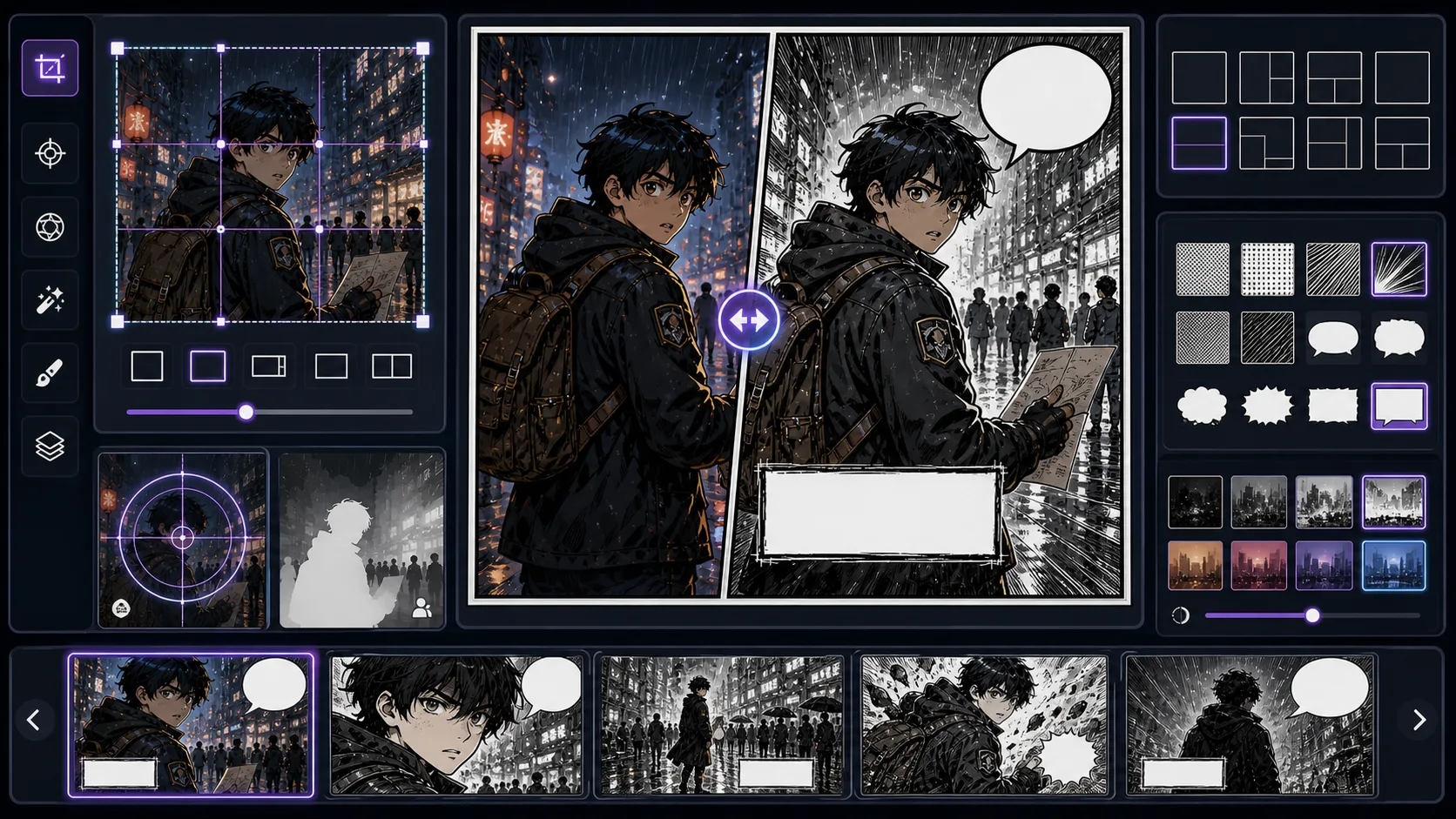
For creators converting a source image into one clear panel, Image to Comic Panel is built to turn an image into a panel with story purpose, crop, and lettering space. The page focuses on the practical need to translate an existing image into a comic, manga, or webtoon direction without losing the useful structure, so the output can be judged as converted reference with a clear production role.

Image to Comic Panel workflow cropping and adapting a source image into one focused panel

Praktische Einschätzung

Wo Image to Comic Panel wirklich hilft

Image to Comic Panel is strongest when the creator already knows the decision they need to make. Use it for panel-ready comic images based on references, then judge the result by source fidelity, crop, lighting simplification, stylized edges, and whether the converted image still has a clear subject. That keeps the page grounded in image conversion rather than broad image generation.

The honest limitation is this: source images rarely arrive with the right crop for sequential reading. In practice, the output may copy surface style while losing likeness, pose readability, or the reason the source was useful. Stronger results come from the first decision: choose which parts of the source image must be preserved and which can be stylized. The working constraint is: define the panel job and crop before asking for a style pass.

Nutze es, wenn

  • Turning a source image into one readable comic panel.
  • Choosing crop, focal point, caption space, and panel role before style conversion.
  • Creating inserts, reaction panels, prop panels, and establishing frames from references.

Sei vorsichtig, wenn

  • Using the full source frame when the panel needs a tighter crop.
  • Converting style before deciding what the panel should communicate.

Workflow

A Image to Comic Panel workflow that protects the result

The workflow below is specific to Image to Comic Panel: define the image conversion decision, set the asset boundary, give visible evidence, then approve only the drafts that can move into a real next step.

1

Audit the source

Start by writing the job in one sentence: turn an image into a panel with story purpose, crop, and lettering space. For Image to Comic Panel, the first decision is to choose which parts of the source image must be preserved and which can be stylized.

2

Pick the conversion goal

Decide whether the output is meant to become insert panels, reaction panels, establishing panels, and prop panels. That choice controls crop, detail density, text space, and how much of the scene belongs in one pass.

3

Preserve visible anchors

Describe what the model should make visible: matched pose, simplified forms, controlled texture, clear focal point, and enough blank space for editing. Then add the style language that matters here: panel crop, focal subject, clean negative space, and comic rendering.

4

Compare style strength

Generate alternatives by changing one variable at a time. For image conversion, useful variables include camera distance, emotion, panel role, source fidelity, line weight, or text hierarchy.

5

Approve source fidelity

Keep a result only when it passes the review focus: source fidelity, crop, lighting simplification, stylized edges, and whether the converted image still has a clear subject. The next move should be obvious: use the converted result as a reference, panel draft, character seed, or style test.

Prompt craft

Prompt pattern for Image to Comic Panel

A useful Image to Comic Panel prompt begins with the asset you need, not a list of style adjectives. Give the model a visible subject, the production role, and the review focus: source fidelity, crop, lighting simplification, stylized edges, and whether the converted image still has a clear subject.

Reusable formula

Subject + visible change + converted reference role + insert panels, reaction panels, establishing panels, and prop panels + panel crop, focal subject, clean negative space, and comic rendering + review rule: define the panel job and crop before asking for a style pass.

Weak prompt

make this a comic panel

Stronger prompt

a photo of a locked suitcase converted into a mystery insert panel, designed for insert panels, reaction panels, establishing panels, and prop panels, with panel crop, focal subject, clean negative space, and comic rendering; make the reader understand that define the panel job and crop before asking for a style pass; leave clean space for later editing and keep the focal point clear.

Why this works

The stronger version names the subject, the visible change, and the asset role. It also tells the tool what success looks like for image conversion: source fidelity, crop, lighting simplification, stylized edges, and whether the converted image still has a clear subject.

Quality signals

How to judge Image to Comic Panel output

Use these checks before spending more time on a result. They are tuned for Image to Comic Panel, where the main risk is that the output may copy surface style while losing likeness, pose readability, or the reason the source was useful.

Source match

The viewer should know what to notice first. For this tool, that first read should support define the panel job and crop before asking for a style pass.

Style transfer

The draft should behave like converted reference with a defined job. Check whether it is actually useful for insert panels, reaction panels, establishing panels, and prop panels.

Subject clarity

Leave room for bubbles, captions, crop marks, export UI, or follow-up editing instead of filling every inch with detail.

Edit margin

A repeatable result needs visible anchors: matched pose, simplified forms, controlled texture, clear focal point, and enough blank space for editing. Save those anchors beside the generated draft.

Conversion loss

Look directly for the common failure: the output may copy surface style while losing likeness, pose readability, or the reason the source was useful. If that appears, revise the brief before generating again.

Reference value

A keeper should point to a clear follow-up: use the converted result as a reference, panel draft, character seed, or style test. If it does not, treat it as a mood reference, not production output.

Visual examples

References that fit Image to Comic Panel

Image-to-panel examples should show how crop and focal point turn a reference into sequential storytelling.

Image to Comic Panel board with source crop guides and panel previews

Reference to panel

A source image becomes more useful when it is cropped around one panel job and clean lettering space.

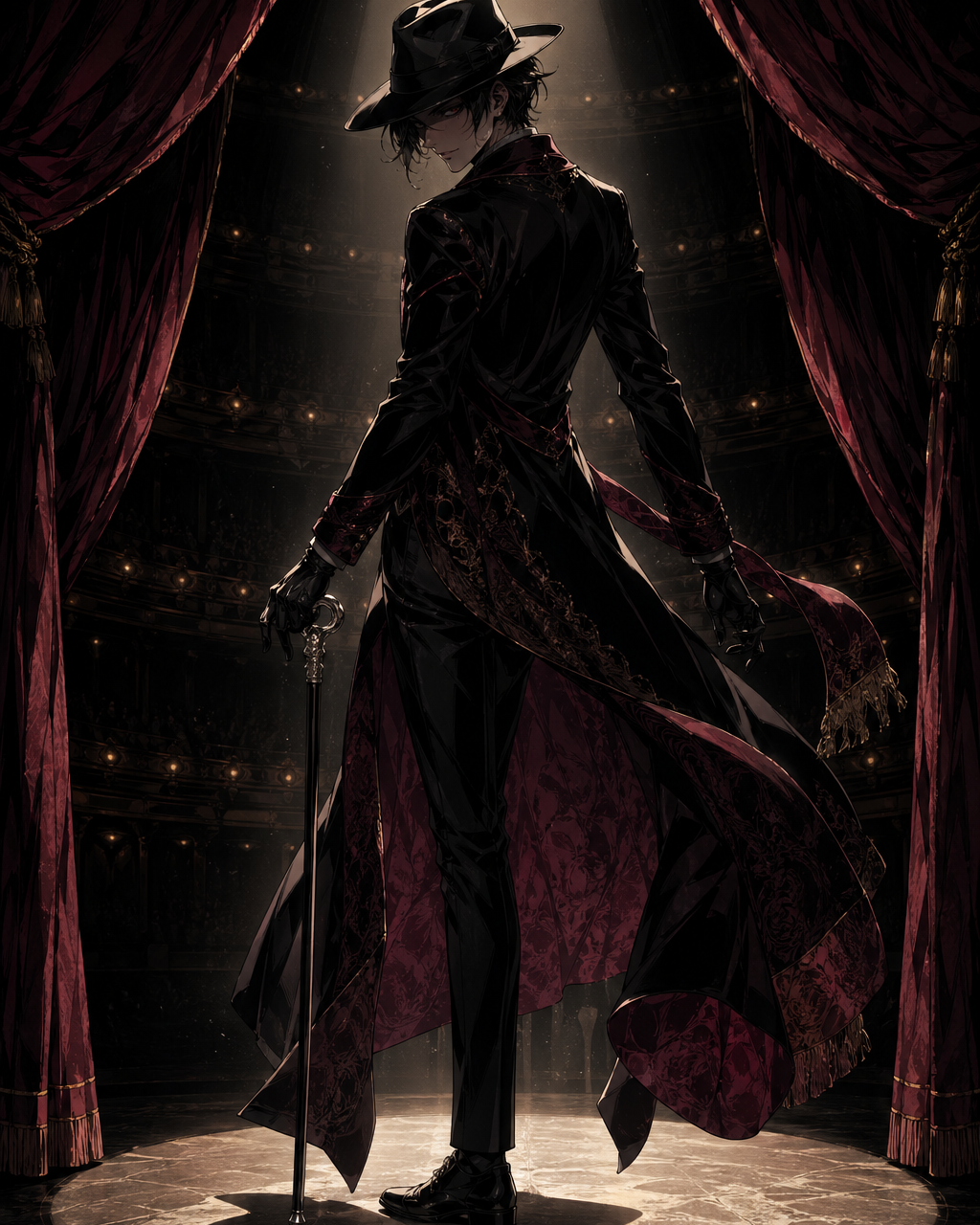
Noir comic panel crop reference

Mood crop

A noir panel often needs a tighter focal point and stronger negative space.

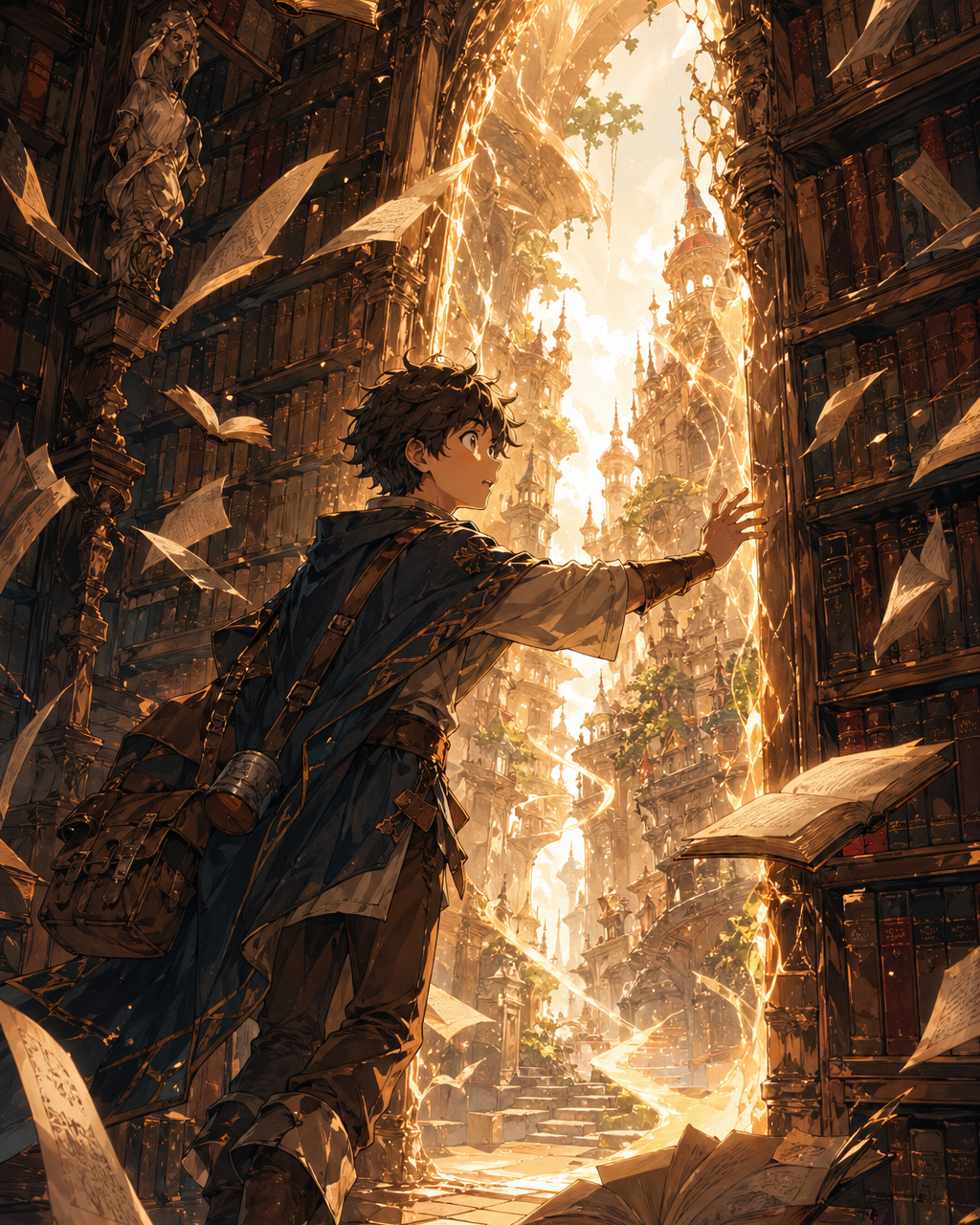
Comic reveal panel reference

Reveal panel

A reference can become a reveal when the crop controls what the reader notices first.

Creator field guide

How experienced creators use Image to Comic Panel

These notes are the practical layer behind the generator. They help creators decide what to ask for, what to ignore, and when a draft is ready to move into a larger ComicsAI workflow.

Brief Image to Comic Panel around one deliverable

Do not ask for a whole project in one prompt. Ask for converted reference that helps creators converting a source image into one clear panel. A good brief names the deliverable, the visible subject, the emotional change, and the format. For this page, "a photo of a locked suitcase converted into a mystery insert panel" is more useful when it is tied to insert panels, reaction panels, establishing panels, and prop panels and a concrete review rule: define the panel job and crop before asking for a style pass.

Protect the image conversion decision

Every tool here has a different creative pressure. In Image to Comic Panel, the pressure is translate an existing image into a comic, manga, or webtoon direction without losing the useful structure. That means the prompt should prioritize source fidelity, crop, lighting simplification, stylized edges, and whether the converted image still has a clear subject before extra polish. A beautiful result is still weak if it fails the decision the page was built to make.

Turn invisible story into visible signals

Backstory, mood, and theme only help when they change something the reader can see. Translate hidden ideas into posture, crop, lighting, props, wording, panel height, or negative space. This protects the tool from the common failure where the output may copy surface style while losing likeness, pose readability, or the reason the source was useful.

Compare versions with one test rule

Use the same test prompt when comparing styles or settings. Change only one thing at a time, then judge against define the panel job and crop before asking for a style pass. This makes the result easier to discuss with collaborators because the debate moves from taste to observable evidence.

Document the useful part

When a result works, write down why. Note the prompt phrase, the crop, the style detail, and the limitation. For Image to Comic Panel, the useful part is usually not the whole image; it may be the silhouette, the line break, the scroll timing, the character anchor, or the panel role.

Stop when the draft has a job

The goal is not endless regeneration. Stop when the output can become the next asset in the chain: use the converted result as a reference, panel draft, character seed, or style test. That habit keeps the tool connected to real comic production instead of turning the page into a gallery of unrelated experiments.

Field notes

Production notes for Image to Comic Panel

Image to Comic Panel is about crop discipline. Most source images are not framed for sequential reading, so the first decision is what the panel needs to do: reveal a clue, establish a location, show a reaction, or focus on an object. The crop should serve that job before style is applied.

A strong panel conversion also leaves room for later text. If the whole frame is busy, captions and bubbles will cover the important subject. The page should teach users to create negative space, simplify background detail, and approve the panel as part of a sequence rather than a standalone picture.

Useful Image to Comic Panel scenarios

Insert panel

Turn a useful object or clue into a focused comic frame.

Establishing crop

Adapt a location image into a panel that leaves room for captions.

Common Image to Comic Panel mistakes

Wrong frame

Most source images need recropping before they work in sequence.

No story job

A panel should reveal, react, establish, or transition.

Where to go next

After creating a panel from an image, continue with Comic Panel Generator, Photo to Comic, captions, or page layout.

Fragen von Kreativen

What is Image to Comic Panel?

Image to Comic Panel is a ComicsAI tool for panel-ready comic images based on references. It is built around turn an image into a panel with story purpose, crop, and lettering space, with a practical focus on translate an existing image into a comic, manga, or webtoon direction without losing the useful structure.

How do I get better image to comic panel results?

Start with the production role, then describe visible evidence: matched pose, simplified forms, controlled texture, clear focal point, and enough blank space for editing. Add panel crop, focal subject, clean negative space, and comic rendering, and review the result for source fidelity, crop, lighting simplification, stylized edges, and whether the converted image still has a clear subject.

What should I check before keeping a Image to Comic Panel result?

Check whether the result supports define the panel job and crop before asking for a style pass. Also look for the main failure mode: the output may copy surface style while losing likeness, pose readability, or the reason the source was useful.

Should the prompt be long or short?

Focused is better than long. Include details only when they change converted reference: crop, voice, pose, line breaks, source fidelity, panel role, or layout space.

How does this fit with the rest of ComicsAI?

Use Image to Comic Panel for image conversion, then continue with related tools such as Comic Panel Generator, Photo to Comic, Comic Caption Generator when the project needs the next draft, edit, reference, or release step.