Best AI Manga Generators in 2026: Tools, Workflows, and Selection Criteria
Compare the best AI manga generators for 2026. Learn which tools fit manga panels, character consistency, webtoon episodes, and text-to-manga workflows.

ComicsAI Editorial Team
Editorial Team
Quick Answer: What Is the Best AI Manga Generator in 2026?
The best AI manga generator depends on what you are trying to create. If you want a manga-focused workflow for panels, story beats, and creator-friendly prompt iteration, start with ComicsAI Manga AI. If you need a broader comic workflow, compare it with AI Comics Generator. If you want a specific page format, review the Japanese Manga format guide.
For most creators, the best AI manga tool should do five things well:
- Generate manga-style panels from text prompts.
- Support character consistency across repeated scenes.
- Offer clear style choices such as shonen, shojo, seinen, chibi, horror, and fantasy.
- Help with page or webtoon composition instead of only single images.
- Provide usable exports or drafts for publishing, pitch decks, storyboards, or social content.
This 2026 refresh focuses less on hype and more on workflow fit. A beautiful single image is useful, but manga creation usually needs repeatable characters, readable panel flow, and a process you can use again in the next chapter.
How We Evaluate AI Manga Generators
Before choosing a tool, decide whether you are creating a single illustration, a manga panel, a full page, or a serialized webtoon. These are different jobs.
Our evaluation criteria:
- Manga style accuracy: Does the output understand manga conventions such as speed lines, expressive close-ups, black-and-white ink, screen tones, and dramatic framing?
- Character consistency: Can you keep the same protagonist recognizable across panels, outfits, expressions, and scenes?
- Panel workflow: Does the tool help with comic layout, page rhythm, speech bubble space, or storyboard flow?
- Prompt control: Can beginners describe a scene naturally while advanced users control camera angle, emotion, lighting, and composition?
- Commercial usefulness: Can the result support social posts, pitch decks, printed pages, webtoon drafts, or publishing workflows?
- Learning curve: Can a writer or creator use it without setting up local models and extensions?
Best AI Manga Generators and Workflows for 2026
1. ComicsAI - Best for Text-to-Manga Panels and Creator Workflows
ComicsAI is built around comic and manga creation rather than general image generation. The strongest use case is turning a written story beat into manga-style visual drafts, then refining prompts for character, style, and panel direction.
Best for:
- Writers who want to create manga without drawing skills.
- Creators testing shonen, shojo, seinen, fantasy, romance, and webtoon scenes.
- Teams that need quick storyboard concepts before final production.
- Beginners who want an easier workflow than local AI model setup.
Key pages to use:
- Manga AI for text-to-manga prompts and workflow guidance.
- Japanese Manga for manga page format and panel rhythm.
- Shonen Manga Style for action scenes.
- Try Free when you want to test prompts in the studio.
Where ComicsAI is strongest:
- Manga-specific landing pages and internal style paths.
- Beginner-friendly prompt-to-panel workflow.
- Multi-language site structure for international creators.
- Direct connection between learning pages and creation pages.
Where to be careful:
- For long manga series, keep a separate character sheet and reuse exact character details in every prompt.
- For final commercial publishing, treat AI output as a draft or production asset that still benefits from human editing, lettering, and review.
2. Midjourney / Niji-Style Workflows - Best for High-Quality Single Manga Illustrations
Midjourney remains popular for polished single images and anime-inspired art direction. Its manga and anime workflows can produce striking covers, splash pages, character concepts, and mood boards.
Best for:
- Manga covers and promotional art.
- Character concept exploration.
- High-impact single illustrations.
- Visual inspiration before building panels elsewhere.
Limitations:
- It is less focused on page layout and sequential storytelling.
- Character consistency can require careful reference workflows.
- It is not as direct for users who want a beginner-friendly text-to-comic pipeline.
Use it when visual polish matters more than comic page structure.
3. Stable Diffusion / ComfyUI Workflows - Best for Technical Control
Stable Diffusion-based workflows remain powerful for creators who want full control over models, LoRAs, ControlNet-style guidance, and local generation. This path can be excellent for manga creators with technical skill.
Best for:
- Advanced users who want local control.
- Custom character LoRA workflows.
- Specific manga aesthetics and repeatable style pipelines.
- Privacy-sensitive teams that prefer local generation.
Limitations:
- Setup can be time-consuming.
- Beginners may struggle with model selection, prompts, extensions, and hardware requirements.
- Comic layout and lettering usually require additional tools.
Use it if you are comfortable managing a technical production stack.
4. Dedicated Webtoon and Comic Platforms - Best for Serialized Publishing Workflows
Several AI comic platforms now focus on webtoon, self-publishing, or multi-page output. These tools are worth comparing if your goal is not just a manga image, but a repeatable publishing pipeline.
Best for:
- Webtoon episode planning.
- Multi-page drafts.
- Creator teams that need a full comic workflow.
- Publishing-focused use cases.
Limitations:
- Output quality and consistency vary widely.
- Pricing, watermark rules, and export rights can change.
- Some platforms focus more on webtoon than Japanese manga.
When evaluating these tools, look for character sheets, page exports, lettering control, and rights clarity.
5. General AI Image Generators - Best for Supporting Assets
Tools like DALL-E-style systems, Adobe Firefly, Leonardo, Flux-based tools, and other image generators can help create references, backgrounds, props, and style boards. They are useful, but they are not always manga generators in the strict sense.
Best for:
- Background concepts.
- Props and environments.
- Marketing images.
- Supporting assets for a manga production pipeline.
Limitations:
- They may not understand manga panel flow.
- They often need extra editing for sequential art.
- Character consistency may require a separate workflow.
Use general image generators as supporting tools, not necessarily the core manga creation system.
Feature Comparison: What Matters Most?
| Feature | Why It Matters for Manga | What to Look For |
|---|---|---|
| Character consistency | Readers need to recognize the same character across panels | Reusable character descriptions, reference support, or character sheets |
| Panel composition | Manga depends on pacing and visual hierarchy | Close-ups, wide shots, motion lines, speech bubble space |
| Style specificity | Shonen, shojo, seinen, and horror manga use different visual language | Style presets or strong prompt control |
| Workflow speed | Creators need iteration, not one perfect image | Fast draft generation and easy prompt refinement |
| Export usefulness | Drafts should move into editing, publishing, or social workflows | Clear files, high resolution, and rights clarity |
| Learning curve | Many manga creators are writers first | Beginner-friendly UI and examples |
How to Choose the Right AI Manga Generator
Choose based on the project, not the trend.
If you are writing your first manga
Start with a simple text-to-manga workflow. Use ComicsAI Manga AI to test story scenes, then refine prompt details such as character expression, camera angle, and background.
If you are creating a webtoon
Prioritize vertical composition, episode hooks, and mobile readability. Start with Vertical Scroll Comic and connect the output to a repeatable story plan.
If you are building a long series
Character consistency becomes the main challenge. Keep a character bible with name, age, clothing, hairstyle, expression range, color palette, recurring props, and personality traits.
If you need professional polish
Use AI output as a draft. Final pages still benefit from human editing, panel cleanup, lettering, cropping, and continuity checks.
Prompt Template for AI Manga Generation
Use this structure:
Create a [manga style] panel of [character] doing [action] in [setting].
Emotion: [specific emotion].
Composition: [close-up / wide shot / low angle / vertical panel].
Manga effects: [speed lines / screen tones / ink shadows / dramatic lighting].
Continuity details: [hair, outfit, accessory, recurring prop].
Leave space for dialogue bubbles.
Example:
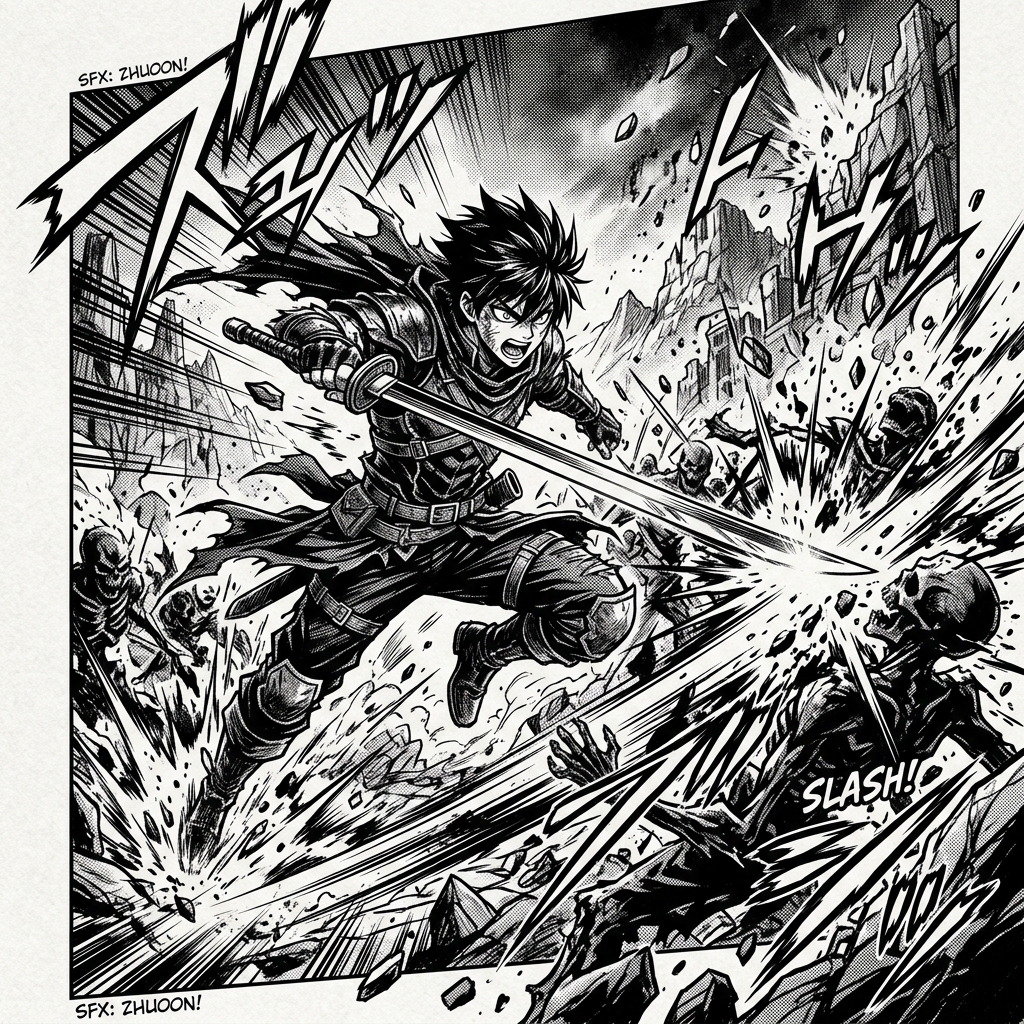
Create a shonen manga panel of a young swordsman jumping between rooftops during a storm.
Emotion: determined and exhausted.
Composition: low-angle action shot with diagonal motion.
Manga effects: speed lines, high-contrast ink, rain streaks, dramatic black shadows.
Continuity details: short black hair, red scarf, cracked wooden sword.
Leave space for dialogue bubbles.
Common Mistakes When Using AI Manga Generators
Mistake 1: Asking for "manga style" only
Generic prompts create generic results. Specify genre, panel type, emotion, and composition.
Mistake 2: Ignoring character continuity
If you want a recurring protagonist, reuse the same character details every time. Do not rely on the model to remember.
Mistake 3: Generating final pages too early
Start with single panels and story beats. Once the style works, build pages.
Mistake 4: Forgetting lettering and readability
Manga is not just art. Speech bubble space, panel order, and reader flow matter.
Mistake 5: Treating AI as the whole production process
The strongest workflows use AI for drafts and ideation, then use human editing for final polish.
Recommended Starting Workflow
- Open Manga AI.
- Pick one scene from your story.
- Write a detailed prompt using subject, action, emotion, style, and composition.
- Generate a draft.
- Save the best output as a visual direction reference.
- Reuse character details for the next panel.
- Move into Try Free when you are ready to test more panels.
FAQ
What is the best AI manga generator for beginners?
The best beginner option is one that supports text prompts, manga styles, and a clear path from idea to panel. ComicsAI is designed around this creator workflow through pages like Manga AI and Try Free.
Can AI generate a full manga chapter?
AI can help draft panels, pages, characters, and storyboards, but a full chapter still needs planning, continuity review, lettering, editing, and quality control.
Is Manga AI the same as anime image generation?
Not exactly. Anime image generation often focuses on single illustrations. Manga AI focuses more on panels, story beats, character expression, and page flow.
What is the most important feature for AI manga?
Character consistency is usually the hardest and most important feature for longer stories. For one-off art, image quality matters more.
Should I use AI manga tools for commercial projects?
Check each tool's terms, export rights, and licensing rules before publishing commercially. For professional work, also use human review for originality, continuity, and quality.
ComicsAI Editorial Team
Editorial Team
"ComicsAI editors publish practical guides about AI comic creation workflows, tools, and creator education."