Novel chapters
Condense a chapter into the key moments that deserve panels, captions, and page turns.
Paste your story, choose a comic direction, and let AI break it into pages with readable panel descriptions, dialogue, and captions.
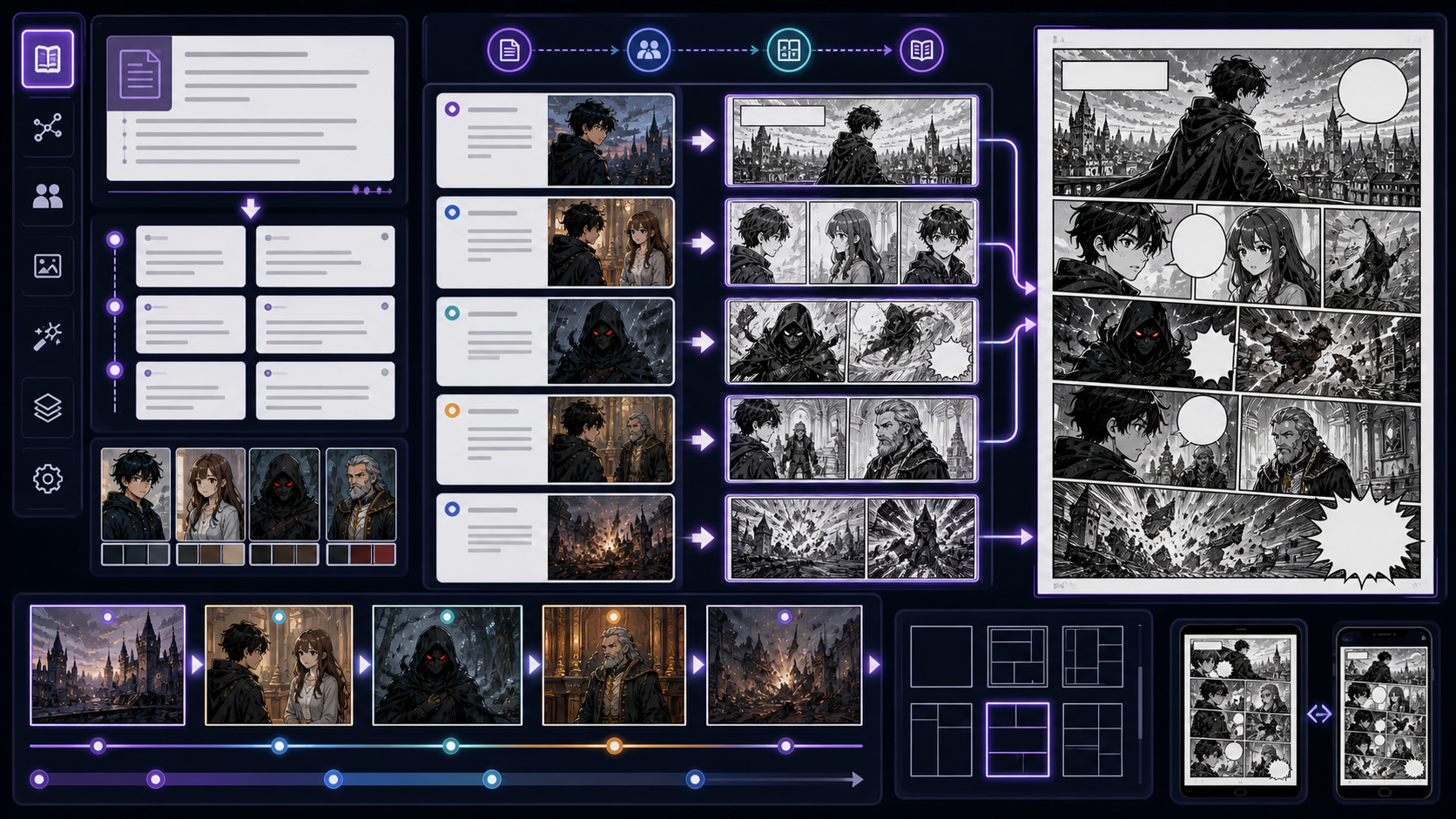
Shape a scene into visual beats before spending credits on final images.
A clearer source story creates cleaner panels. Include character names, setting, and the emotional turn.
The best AI comic results usually start with a clear page plan. Story Mode helps turn written material into visual structure so every panel has a job.
Condense a chapter into the key moments that deserve panels, captions, and page turns.
Plan scroll-friendly beats with room for reaction shots, cliffhangers, and dialogue pauses.
Turn a rough synopsis into a readable visual plan for collaborators, clients, or production notes.
Extract emotional beats so expressions, poses, and recurring cast details stay intentional.
A comic is not just illustrated prose. It needs pacing, visual contrast, readable bubbles, and clear transitions between moments.
Strong panels usually show one action, one reaction, or one reveal. Story Mode separates dense prose into visual moments.
Mix establishing shots, close-ups, over-the-shoulder views, and detail shots so the page does not feel flat.
Shorter lines leave room for speech bubbles and make the final comic easier to letter and read.
You do not need a finished screenplay. A clean scene premise, synopsis, or chapter summary is enough to draft a usable comic plan.
A detective follows a glowing paper crane through a rainy night market and finds a hidden message.
Two rivals train for the same tournament, discover a shared mentor, and must choose between revenge and teamwork.
A student wakes up with tomorrow's memories and uses them to stop a confession from becoming a disaster.
Story Mode gives you a structured bridge between raw prose and final panels, so the next creative step is specific instead of vague.
A numbered page structure that shows where the story opens, turns, and lands.
Clear visual prompts for each panel, including action, framing, mood, and scene details.
Short speech bubble text and narration notes that keep the page readable.
An editable plan you can tune before spending generation credits on final comic art.
Explore the broader workflow for adapting written stories into sequential comics.
Open toolCreate scene plans, camera notes, and visual sequences before final image generation.
Open toolNeed a premise first? Generate plot ideas, episode hooks, and comic-ready story arcs.
Open toolPolish speech bubble copy, captions, and character voice after the storyboard is drafted.
Open toolStory Mode is a ComicsAI workflow that turns prose, outlines, or scene summaries into a comic storyboard with pages, panels, visual descriptions, dialogue, and captions.
A short scene, chapter summary, or focused excerpt works best. If you paste a very long chapter, choose more pages or split the story into smaller scenes for cleaner pacing.
Story Mode first creates an editable storyboard. After reviewing the panel plan, you can move into the comic editor and generate images from the prepared visual prompts.
Yes. After the storyboard is created, you can adjust panel visuals, dialogue, and captions before continuing to image generation.
You can plan manga, webtoon, western comic, watercolor, cyberpunk, and noir directions. The chosen style guides the storyboard language and the prompts you carry into generation.
Story Mode is designed to help you plan before image generation. Final image creation happens after you move into the editor and choose which panels to generate.
It helps by repeating character names, roles, costumes, and scene context in the storyboard. For stronger visual consistency, pair the plan with character references in the editor.
Yes. The Story Mode interface is localized, and you can write story material in the language that fits your comic workflow.