Photo to Anime AI Converter
Turn a clear photo into recognizable anime-style art for avatars, gifts, wallpapers, and story references.
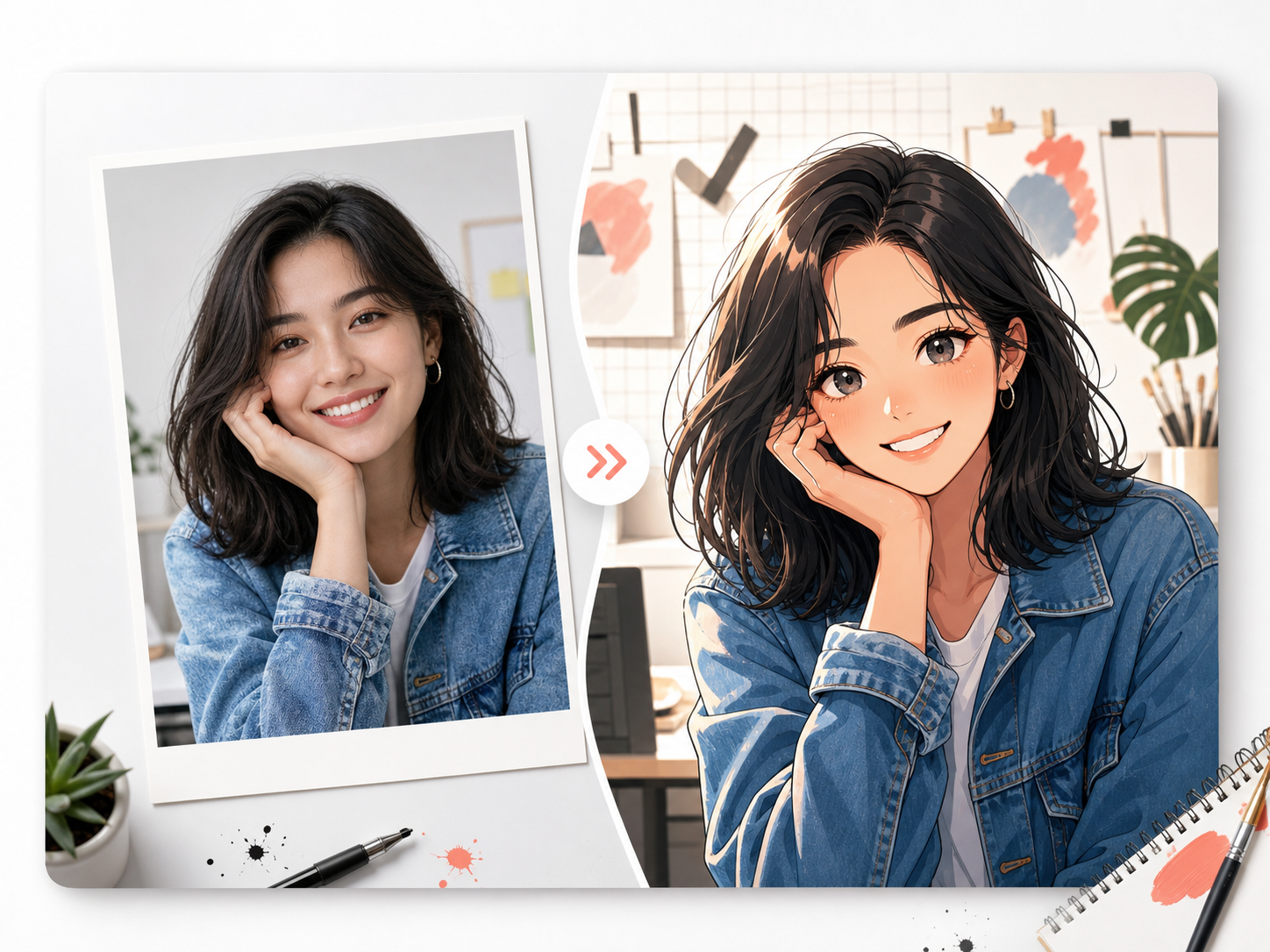
Upload a photo, choose an anime direction, generate.
The tool keeps the useful parts of the source photo while redrawing the image as original anime-style art.
Sign in when you are ready to generate.
Source photo
JPG, PNG, or WEBP. Clear faces and simple lighting work best.
Preview
Waiting for photo
Current setup
Soft anime portrait - Square avatar
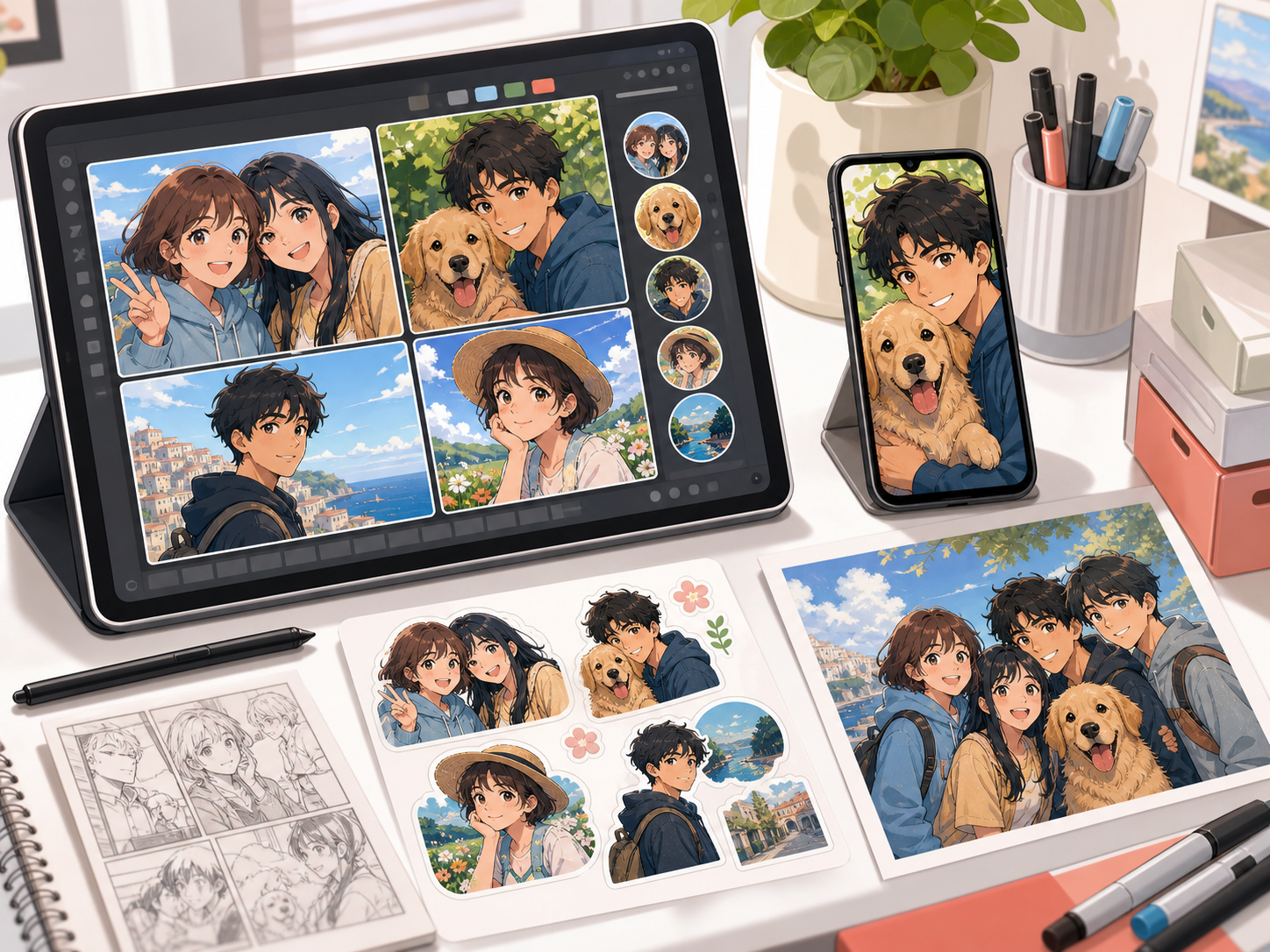
Use the photo as reference, not just a filter.
Photo to Anime converts a real photo into original anime-style art. It is useful when the source photo already has a pose, face angle, outfit, pet, or scene you want to keep, but you want the final image to feel illustrated rather than filtered.
A good anime conversion should not copy a named character, studio, show, or celebrity. It should preserve the useful source cues and redraw them in an original anime direction with clean lines, expressive eyes, controlled shading, and a simple background.
Best for
- Turning portraits and selfies into anime-style avatars while keeping the person recognizable.
- Creating anime versions of pet photos, couple photos, cosplay references, or travel snapshots.
- Preparing profile images, phone wallpapers, sticker ideas, gifts, and social posts.
- Building visual references for original characters, webtoon drafts, and comic scenes.
Not for
- Copying a named anime character, manga artist, animation studio, or copyrighted franchise look.
- Legal identity matching, official documents, biometric use, or exact portrait guarantees.
- Very blurry, tiny, dark, or crowded photos where the main subject is hard to read.
- Generating logos, captions, watermarks, or random readable text inside the image.
Upload a readable photo
Use a clear portrait, pet photo, outfit shot, or travel image where the subject is large enough to guide the redraw.
Choose an original anime direction
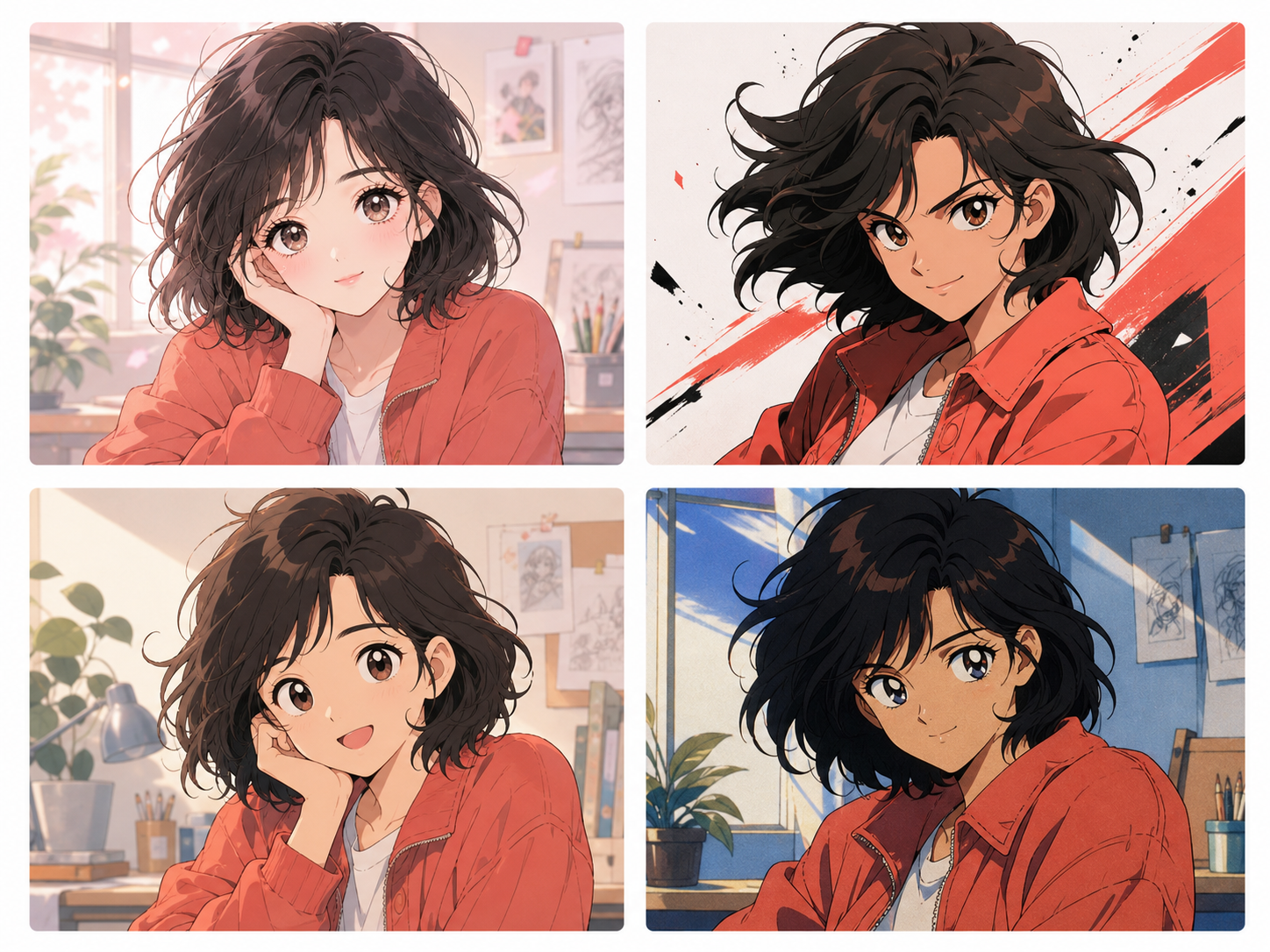
Pick soft portrait, action frame, cozy slice-of-life, retro cel, or another original direction without naming a protected character.
Preserve the important cues
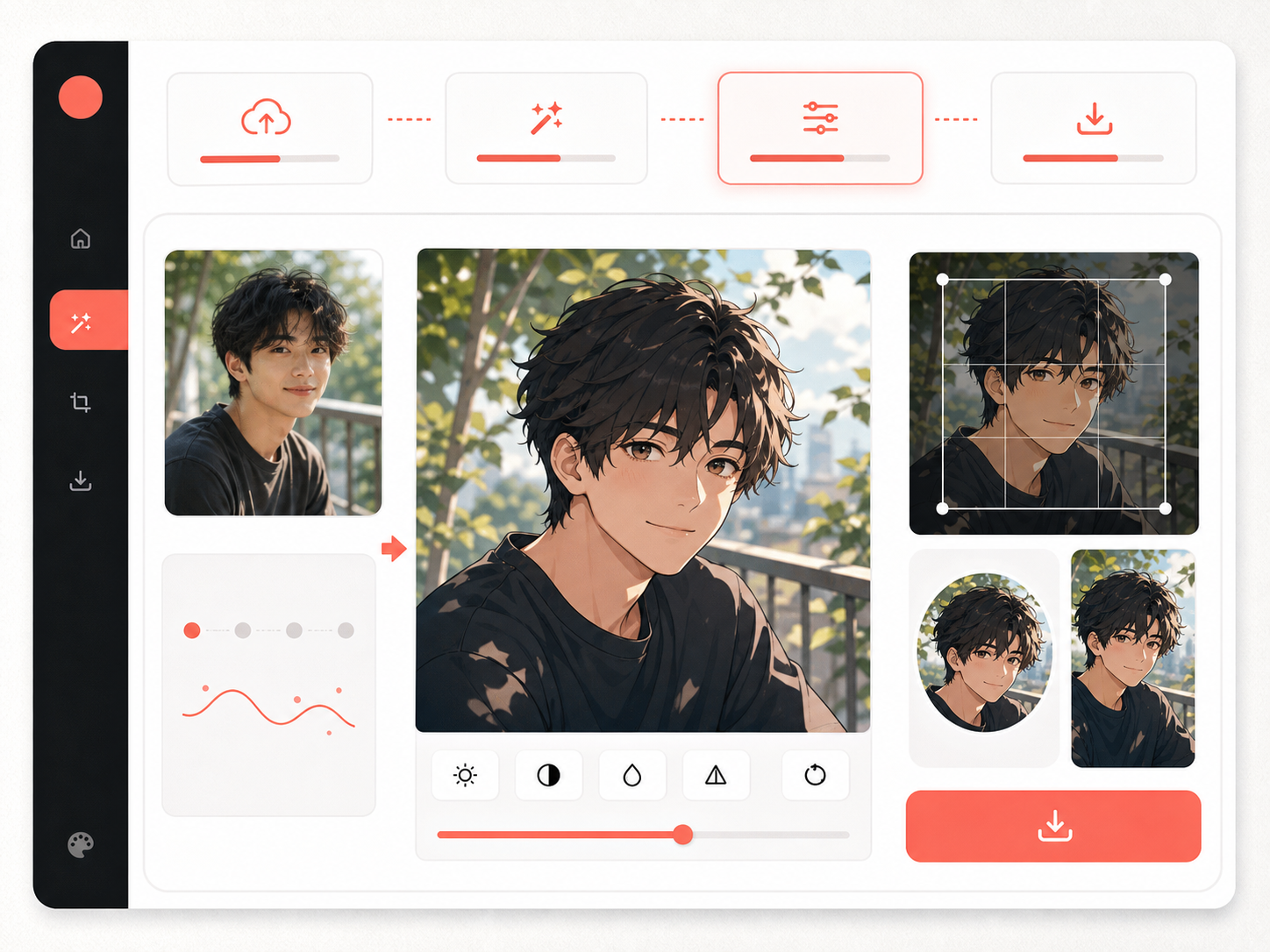
Name the details that should survive: face angle, smile, hair shape, outfit color, pose, pet markings, lighting, or scene layout.
Choose an anime style before generating
Start with a visual direction instead of a vague filter. A soft portrait, action frame, slice-of-life still, or retro cel look changes the mood without asking for a named character.
Keep the photo recognizable
The anime result should preserve the face angle, hairstyle, outfit color, pose, pet markings, or scene layout that made the source photo useful.
Use anime photos in real projects
Create avatars, stickers, wallpapers, gifts, social posts, or character reference drafts from photos you already like. The output stays useful after generation.
Review the crop before download
Check the final file at the size where it will be used. A square avatar, phone wallpaper, and poster crop each need different framing.
Practical ways to use the result
Use the anime version as a finished share image or as a draft for the next creative step.
Anime avatars
Create profile pictures for social accounts, chat apps, newsletters, and creator bios.
Pet and couple gifts
Turn a favorite pet, couple, or family photo into a light anime-style keepsake.
Wallpaper and posters
Use a taller crop or wider poster crop when the background and outfit are part of the image.
Story references
Use the anime result as a character or scene reference before building manga, comic, or webtoon assets.
Check the anime conversion before keeping it
The image should feel drawn, but it still needs to be useful as an avatar, wallpaper, gift, or visual reference.
Recognizable source cues
The face angle, hairstyle, expression, outfit color, pose, pet markings, or scene layout should still connect to the upload.
Original anime direction
The result can feel soft, bold, cinematic, or retro, but it should not resemble a protected character or known franchise.
Clean line and shading
Anime conversion works best when lines, eyes, shadows, and highlights are deliberate instead of noisy photo texture.
Readable final crop
A square avatar, wallpaper, sticker, and poster need different framing. Check the intended crop before export.
Start with a stronger prompt
A good prompt says what to preserve before it asks for style. That keeps the result personal instead of generic.
Weak prompt
turn photo into anime
Better prompt
Convert this portrait photo into an original soft anime portrait while preserving the three-quarter face angle, natural smile, shoulder-length black hair, denim jacket, and warm window lighting. Simplify the background, keep the result clean at avatar size, and avoid logos, captions, watermark text, or any named anime character style.
Style rules that prevent generic anime results
The stronger prompt tells the model what to keep, what style direction to use, where the image will be used, and what to avoid.
Anime style is not one look
A soft portrait, action frame, cozy slice-of-life still, and retro cel look make different promises. Choose the mood before asking for the redraw.
Likeness comes from plain details
Hair shape, glasses, face angle, outfit color, pose, and pet markings usually matter more than broad style adjectives.
Keep the result original
Use genre language instead of named franchises. Original anime-style art is more flexible for avatars, gifts, and creator projects.
Common mistakes to avoid
Only asking for anime
A vague request gives the model no rule for what should stay from the photo. Add preservation details first.
Naming protected characters
Asking for a specific franchise look can create rights and originality problems. Describe mood, line quality, and lighting instead.
Using a poor source photo
If the upload is blurry, too small, or badly lit, the anime result has less useful information to preserve.
Skipping the final crop
A result that looks good full size may fail as an avatar or wallpaper. Check the exact export use.
After converting a photo to anime, continue with nearby image tools when you need manga line language, a broader cartoon look, or a comic-ready reference.
Photo to anime questions
What is a photo to anime converter?
A photo to anime converter turns a real photo into anime-style art. A useful converter keeps the recognizable source cues, such as face angle, pose, hairstyle, outfit color, pet markings, or scene layout, while redrawing the image with original anime-inspired line work and shading.
Can I turn a photo into anime online?
Yes. Upload a clear JPG, PNG, or WEBP photo, choose an anime direction, name the details to preserve, and generate an anime-style result. Clear portraits, pet photos, and simple travel shots usually work better than dark or crowded images.
Is photo to anime the same as photo to manga?
Not exactly. Photo to anime usually focuses on color, expressive eyes, cel shading, and a finished illustrated look. Photo to manga often leans toward black-and-white line work, screentone, panel readability, and print-style composition.
How do I keep the anime version looking like the original photo?
Tell the tool which details matter: face angle, smile, hair shape, glasses, outfit color, pose, lighting, pet markings, or group position. Then choose a style strength that redraws the photo without replacing the subject.
Can I make an anime avatar from a selfie?
Yes. Selfies are a good fit when the face is clear, the lighting is not too harsh, and the crop leaves enough room around the head and shoulders. For avatar use, check the result at small size before keeping it.
Can I use a pet photo or group photo?
Pet photos work well when markings, pose, and expression are visible. Group photos can work, but faces should not be tiny. For a crowded group, crop closer or convert one subject at a time.
Can I ask for a specific anime character style?
You should avoid asking for named characters, franchises, studios, artists, or copyrighted styles. Use broader creative direction instead, such as soft portrait, action anime, cozy slice-of-life, or retro cel shading.
Can I use the anime result commercially?
Check your account terms, source-photo rights, and whether the image contains recognizable people, brands, or protected characters. For client or commercial use, get permission for the original photo and review the final image carefully.