01
Text inside a comic: give the words room
A short title or sign can become part of the scene instead of something added as an afterthought. Give important words their own space so the lettering and drawing support the same story.
Nano Banana 2.1 · 1K
Your next comic can start with one scene. Nano Banana 2.1 is now the default model for free image generation on ComicsAI: describe the moment, choose your canvas, and turn the idea into a 1K image. Use it for a first panel, a cover concept or a scene you want to explore before building the rest of the story.
The free trial uses Nano Banana 2.1 with 1K output. 1 free credit to try the generation effect. Available to the first 1,000 users each day.
Start with Nano Banana 2.1 when you want to try a new scene using free credits. Choose GPT Image 2.5 Sunburst when you want to explore the paid image option. Image editing and generation with reference images require paid access. Pick the model for the task you are working on, rather than expecting one option to suit every scene.
01
A short title or sign can become part of the scene instead of something added as an afterthought. Give important words their own space so the lettering and drawing support the same story.
02
A recognizable character makes the next panel feel connected to the first. Build around a few visible identifiers so you can carry the same person into a different action, expression or camera angle.
03
Choose a square image for a focused character moment, a landscape frame to establish a location or a portrait frame for a standing character and vertical composition. Nano Banana 2.1 currently creates 1K images here. Decide what the reader should notice first, then leave enough space around that subject. Review the result at the size you plan to share it.
| Model | Role in your decision | What to check |
|---|---|---|
| Nano Banana 2.1 | ComicsAI free default, 1K | Lettering, identity details, spatial instructions |
| Nano Banana 2 | Earlier Google model, Nano Banana 2 | Older samples are not 2.1 results |
| Nano Banana Pro | Separate Google model family | Verify the model ID and settings |
| GPT Image 2.5 Sunburst | Paid ComicsAI option, Medium quality | Preservation of details in edits |
Fuser preferred Nano Banana 2.1 for its product-shot brief and GPT Image 2.5 Flare for its character-reference task; poster text tied. Its five tasks used one run each, Nano Banana at 2K and Flare on automatic quality. This is not a benchmark or a test of ComicsAI’s 1K and Sunburst settings. Fuser’s prompts, settings and outputs
For your own comparison, record wrong prop counts, a changed face, an incorrect sign and unwanted composition changes. Select the result that meets the brief. We have not run a controlled ComicsAI head-to-head benchmark for this launch, so the external examples should inform what you test rather than promise what you will receive.
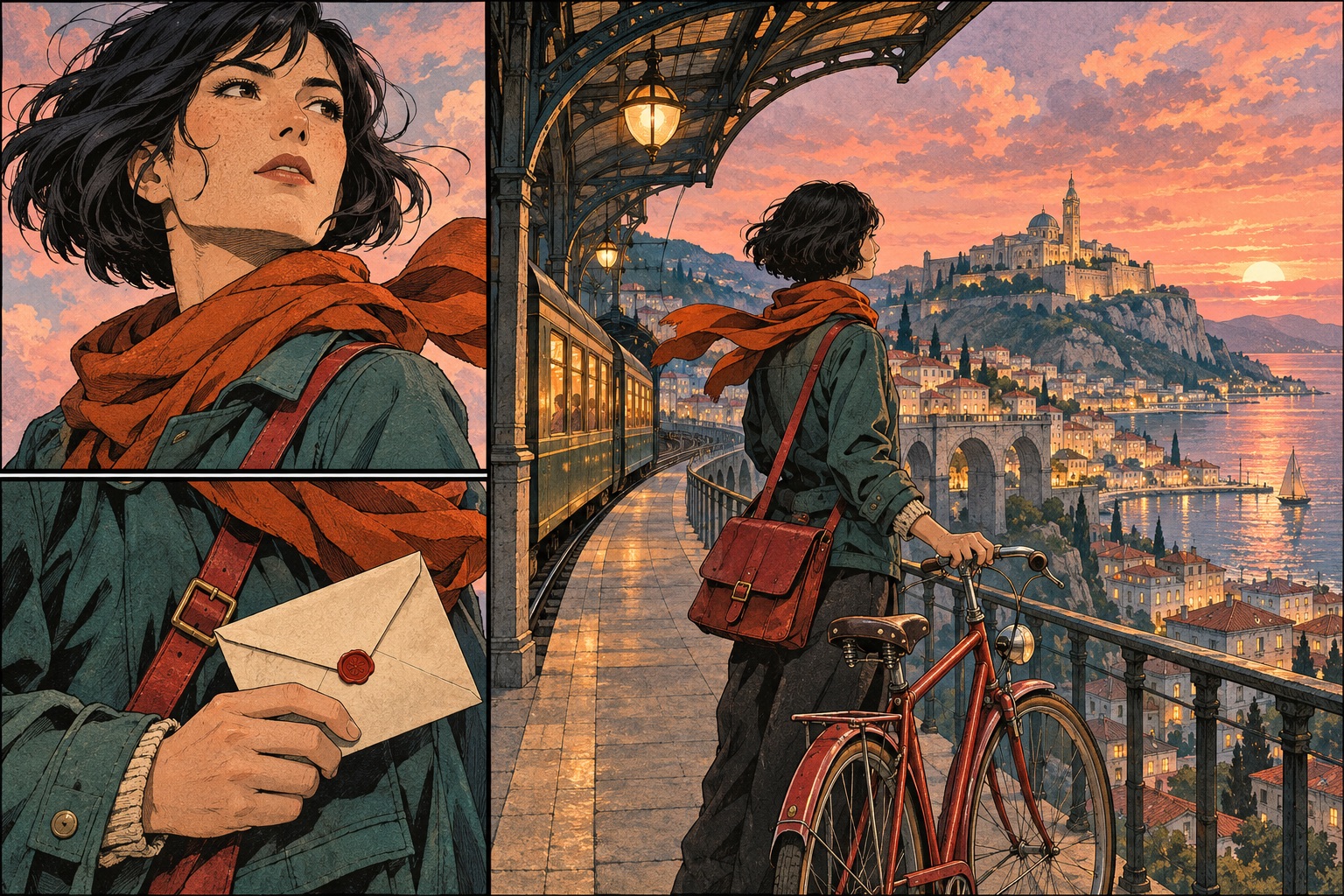
One landscape comic panel. An adult courier with a short black bob, teal jacket, orange scarf and red shoulder bag stops beside a red bicycle outside a railway station at dusk. Medium shot, eye-level camera, clean ink lines and warm window light. One sign reads ‘LAST TRAIN’. No dialogue; leave space above the courier for a caption. No extra characters.Nano Banana 2.1 for Comics: Strengths, Limits and GPT Image 2.5 Compared
It is the default for generation using available free credits. The trial is limited to 1 credit per account and daily admission capacity. It is not unlimited use. Editing and reference-based generation require paid access.
This release uses 1K. Google supports other resolution tiers, but ComicsAI does not currently expose them for Nano Banana. This route has no low, medium or high quality selector; GPT Image uses a different parameter system.
Continuity still needs review. Keep stable descriptions and clear visual identifiers, then inspect faces, clothing and props between panels. Reference workflows can help, but they do not establish perfect continuity or guarantee a finished chapter from one prompt.
Reviewed on 2 November 2026. Official documentation establishes model identity and capabilities; the third-party review supplies external examples. Workflow advice and the prompt are ComicsAI editorial guidance. Model-level features should not be read as promises about every capability available in ComicsAI.