Crop for the phone first
A photo that works horizontally may fail in a vertical episode. Decide what should remain visible on a narrow screen.
Image Tools
Photo to Webtoon adapts real images into webtoon-style visuals with mobile reading, vertical crop, expressive characters, and scroll-friendly clarity in mind.
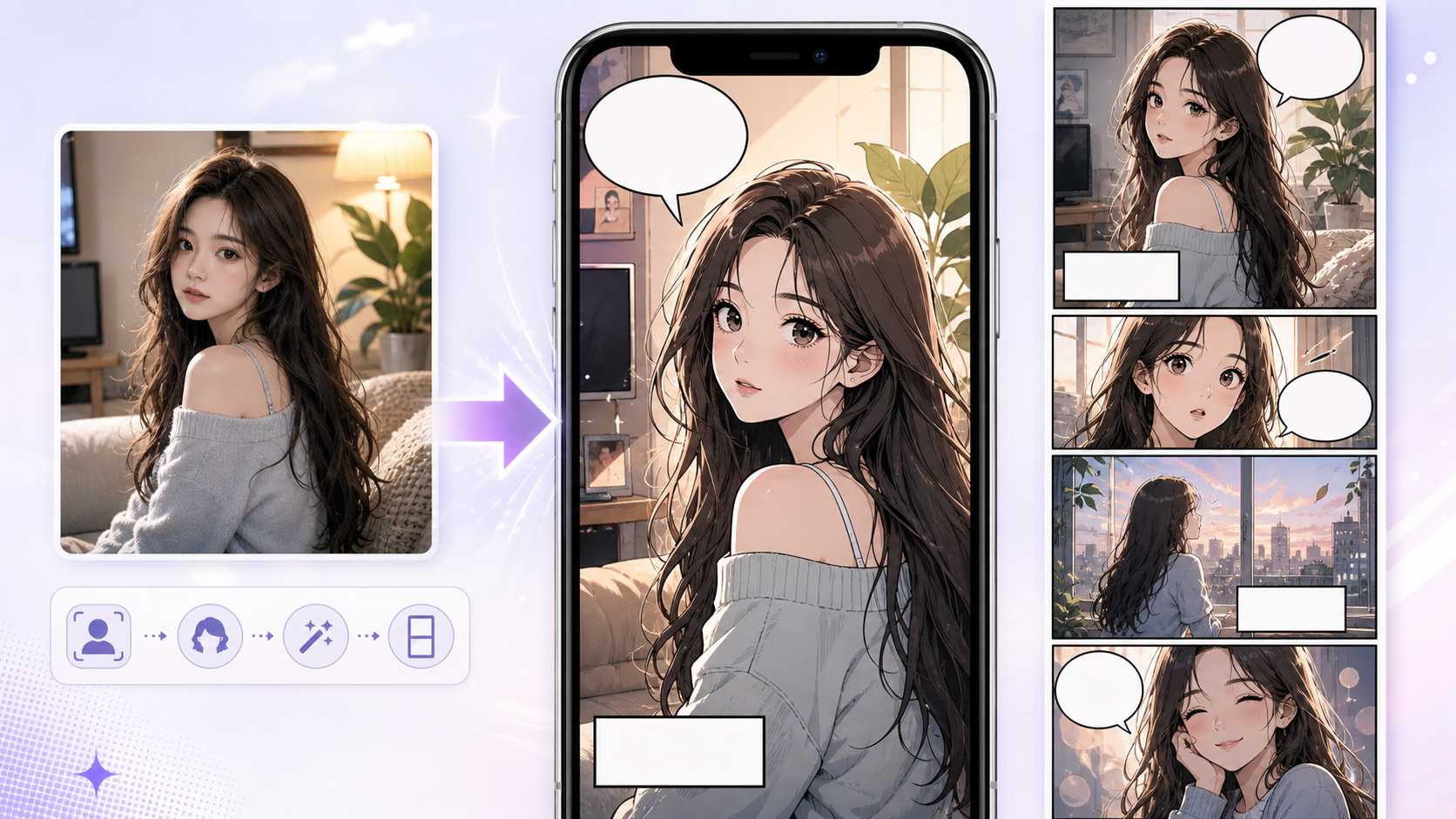
Practical take
A webtoon conversion is not just a softer cartoon look. It has to survive phone screens, vertical pacing, and episode presentation. Use this workflow when a photo should become a mobile-friendly webtoon asset.
The main problem is keeping a horizontal photo composition that does not work in vertical reading. Webtoon adaptation often needs crop changes, cleaner faces, and more breathing room.
Workflow
Photo to Webtoon should convert the image and rethink the crop for scroll reading.
Choose the face, body gesture, or object that should stay readable on a phone.
Adjust the composition for top-to-bottom reading instead of preserving the full photo frame.
Webtoon art often needs simpler background shapes so faces and emotion read quickly.
Decide whether the result is a panel, promo image, avatar, cover crop, or reference.
Prompt craft
A useful Photo to Webtoon prompt begins with the asset you need, not a list of style adjectives. Give the model a visible subject, the production role, and the review focus: source fidelity, crop, lighting simplification, stylized edges, and whether the converted image still has a clear subject.
Subject + visible change + converted reference role + webtoon panels, character portraits, location references, and episode art + clean color, vertical crop, expressive faces, and mobile-safe background detail + review rule: compose for scroll height, not desktop wallpaper width.
make this photo webtoon
a subway platform photo transformed into a romantic vertical webtoon panel, designed for webtoon panels, character portraits, location references, and episode art, with clean color, vertical crop, expressive faces, and mobile-safe background detail; make the reader understand that compose for scroll height, not desktop wallpaper width; leave clean space for later editing and keep the focal point clear.
The stronger version names the subject, the visible change, and the asset role. It also tells the tool what success looks like for image conversion: source fidelity, crop, lighting simplification, stylized edges, and whether the converted image still has a clear subject.
Quality signals
A good Photo to Webtoon result should feel designed for mobile reading, not merely converted into a soft style.
The expression should remain clear at small size.
The composition should work in a scroll format.
The background should support the subject instead of competing with it.
The result should fit a panel, cover, promo, or reference role.
Visual examples
Photo-to-webtoon examples are judged by mobile readability, vertical crop, and emotion clarity.
A webtoon conversion should reframe the source for phone reading, not simply repaint a horizontal photo.
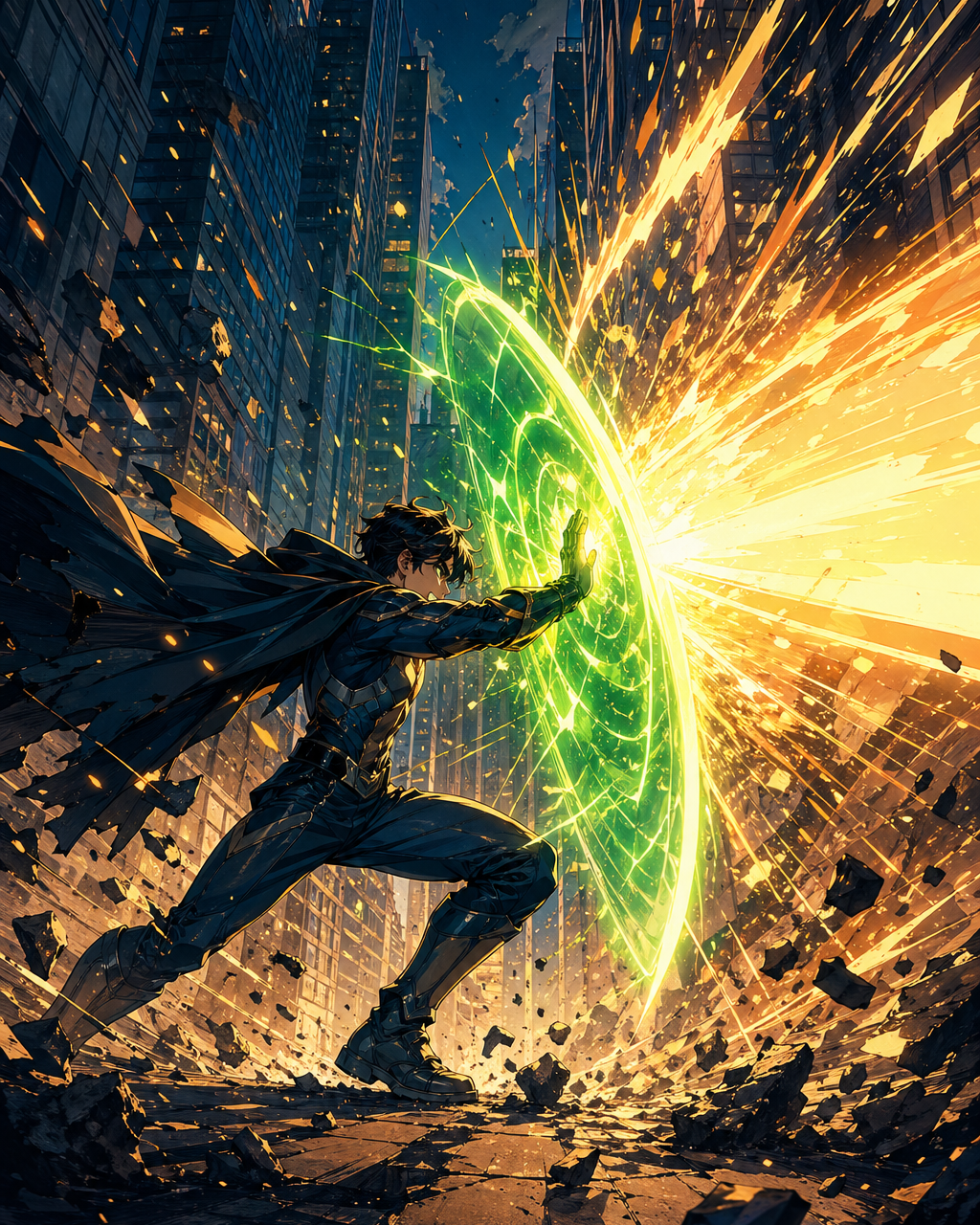
Webtoon action needs readable faces and motion even in narrow framing.
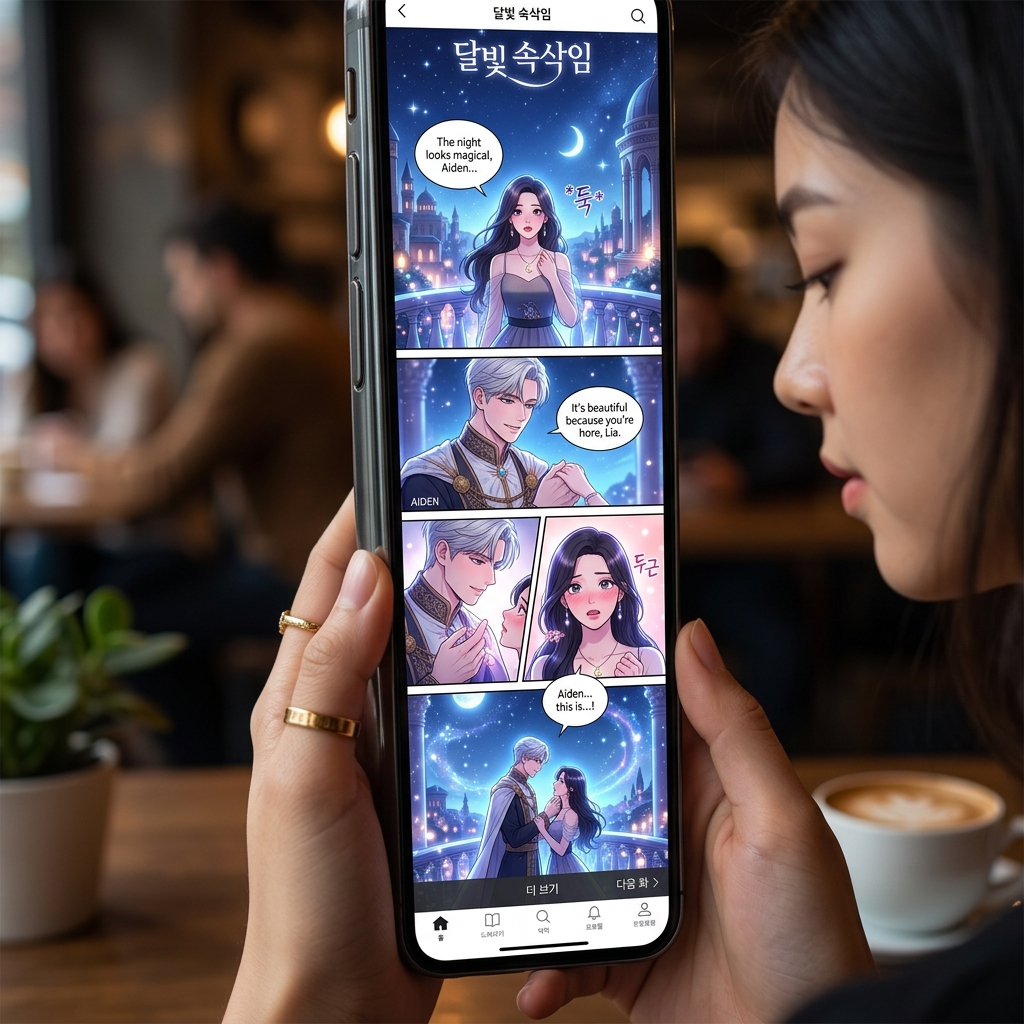
Simpler backgrounds help webtoon characters read quickly on mobile.
Creator field guide
These notes help creators decide what to plan, what to ignore, and when a draft is ready for the next production step.
A photo that works horizontally may fail in a vertical episode. Decide what should remain visible on a narrow screen.
Webtoon reading depends heavily on quick emotion. Background detail should support the face rather than compete with it.
Choose whether the converted image is a panel, avatar, promo crop, cover element, or reference before judging success.
Field notes
Photo to Webtoon should be evaluated through mobile reading. A photo may look good in a horizontal frame but fail when translated into a vertical episode. The tool needs to preserve the useful subject while reframing the image for phone screens, cleaner emotion, and scroll-friendly composition.
The workflow should talk about face readability because webtoon readers often process emotion quickly while scrolling. If the face or gesture is too small, the converted image may look polished but still fail as an episode asset. Background simplification is often necessary so the character remains clear.
The tool can serve several use cases: avatar creation, episode reference, promo crop, cover element, or character seed. Naming these roles makes the workflow more substantial and helps users decide how to judge the output after conversion.
A webtoon conversion should also consider vertical silence. The space above and below the subject can become timing: a lonely pause, a romantic hesitation, or the delay before a reveal. This is where the tool differs from a generic cartoon filter. It should help creators imagine how the converted asset behaves inside a scrolling episode.
Turn a portrait source into a webtoon-style character image.
Use a photo as a pose or scene seed for a vertical episode.
A photo may need reframing before it works in a scroll format.
Webtoon emotion must remain visible on a phone screen.
After converting a photo into webtoon style, continue with AI Webtoon Generator, captions, or story planning for episode use.
Photo to Webtoon focuses on mobile readability, vertical crop, softer episode art, and scroll-friendly composition.
Clear portraits, expressive poses, and simple scenes convert best because webtoon reading depends heavily on faces and emotion.
Yes. Use a clear face image and ask for a clean, mobile-readable webtoon character treatment.
The prompt may need stronger lighting, expression, and vertical framing cues.