Design for repeat appearances
A character who appears once can be visually busy. A recurring comic character needs anchors that survive different poses, moods, and camera angles.
Character Tools
AI Character Generator helps turn personality, role, genre, and visual anchors into an original character concept that can be reused across comic panels, manga pages, covers, and story pitches.
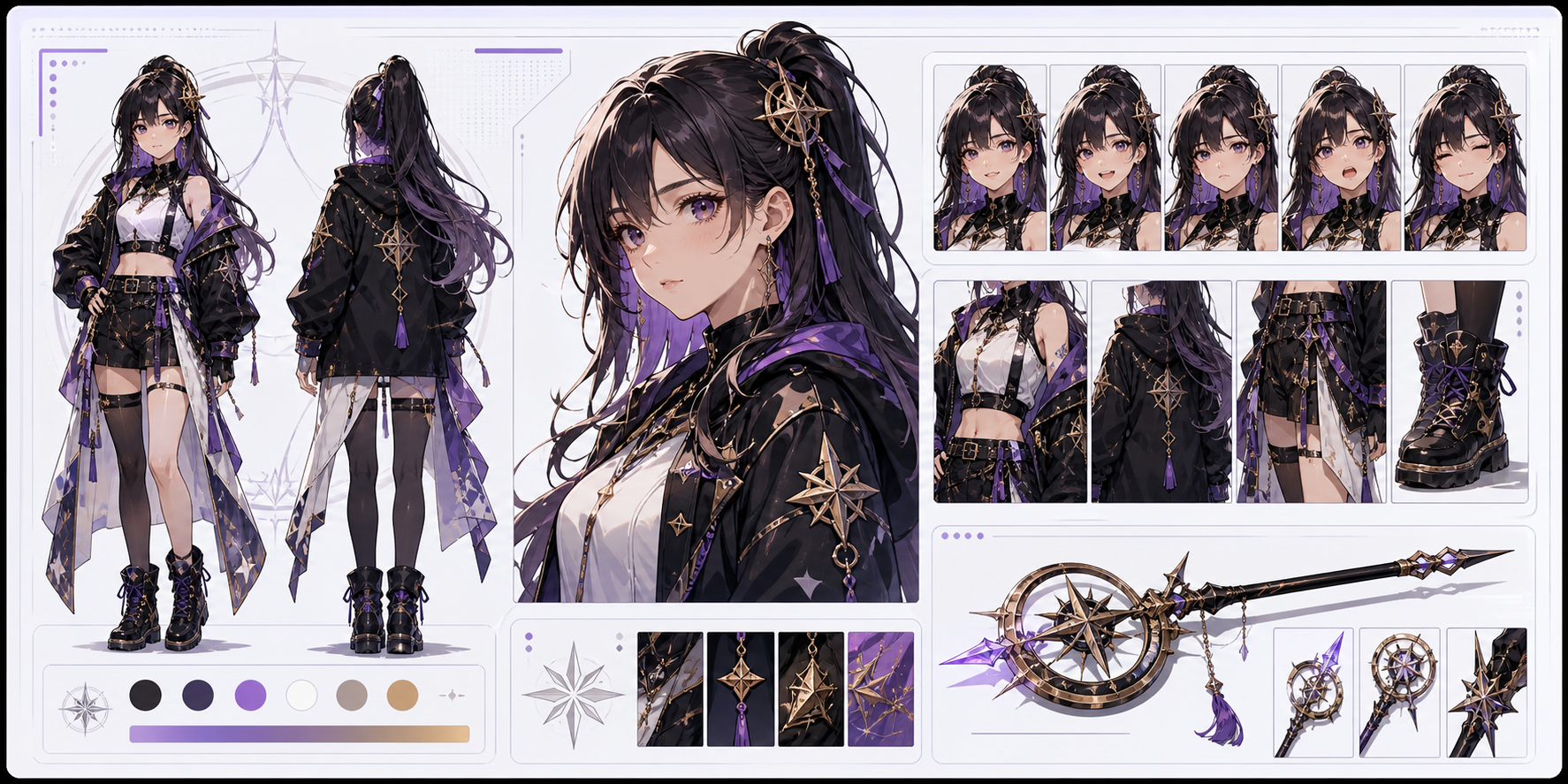
Practical take
this workflow is about cast design. A strong character is not only a pretty portrait; it has a silhouette, outfit logic, expression range, color anchors, and a reason to exist in the story.
The main risk is design drift. If the first image does not establish repeatable anchors, future panels may reinvent the character.
Workflow
Character generation should create a reusable identity kit before the character appears in many scenes.
Hero, rival, mentor, comic relief, villain, and witness all need different visual priorities.
Choose hair shape, body language, outfit pieces, props, or color accents that can survive new poses.
Test neutral, angry, surprised, happy, and worried versions before using the character in panels.
Save a plain-language description of permanent details for future prompts.
Prompt craft
A useful AI Character Generator prompt begins with the asset you need, not a list of style adjectives. Give the model a visible subject, the production role, and the review focus: silhouette, outfit logic, face shape, color anchors, expression range, and repeatable props.
Subject + visible change + character reference role + hero concepts, side characters, villains, mascots, and pitch art + silhouette, costume logic, color accents, facial attitude, and signature props + review rule: define two or three permanent anchors that should survive every redraw.
make a cool anime character
a shy storm mage with a patched raincoat and a glass compass, designed for hero concepts, side characters, villains, mascots, and pitch art, with silhouette, costume logic, color accents, facial attitude, and signature props; make the reader understand that define two or three permanent anchors that should survive every redraw; leave clean space for later editing and keep the focal point clear.
The stronger version names the subject, the visible change, and the asset role. It also tells the tool what success looks like for character design: silhouette, outfit logic, face shape, color anchors, expression range, and repeatable props.
Quality signals
A good character result should be reusable. Judge it by whether you can describe and repeat the design later.
The character should be recognizable even before small details are visible.
Clothing should match role, setting, movement, and genre.
The face should be flexible enough for more than one mood.
You should be able to write a concise reference note from the image.
Visual examples
Character examples should be judged by repeatability: silhouette, expression, outfit anchors, and story role.
A reusable character concept should show silhouette, outfit logic, expression range, prop anchors, and story role in one visual direction.
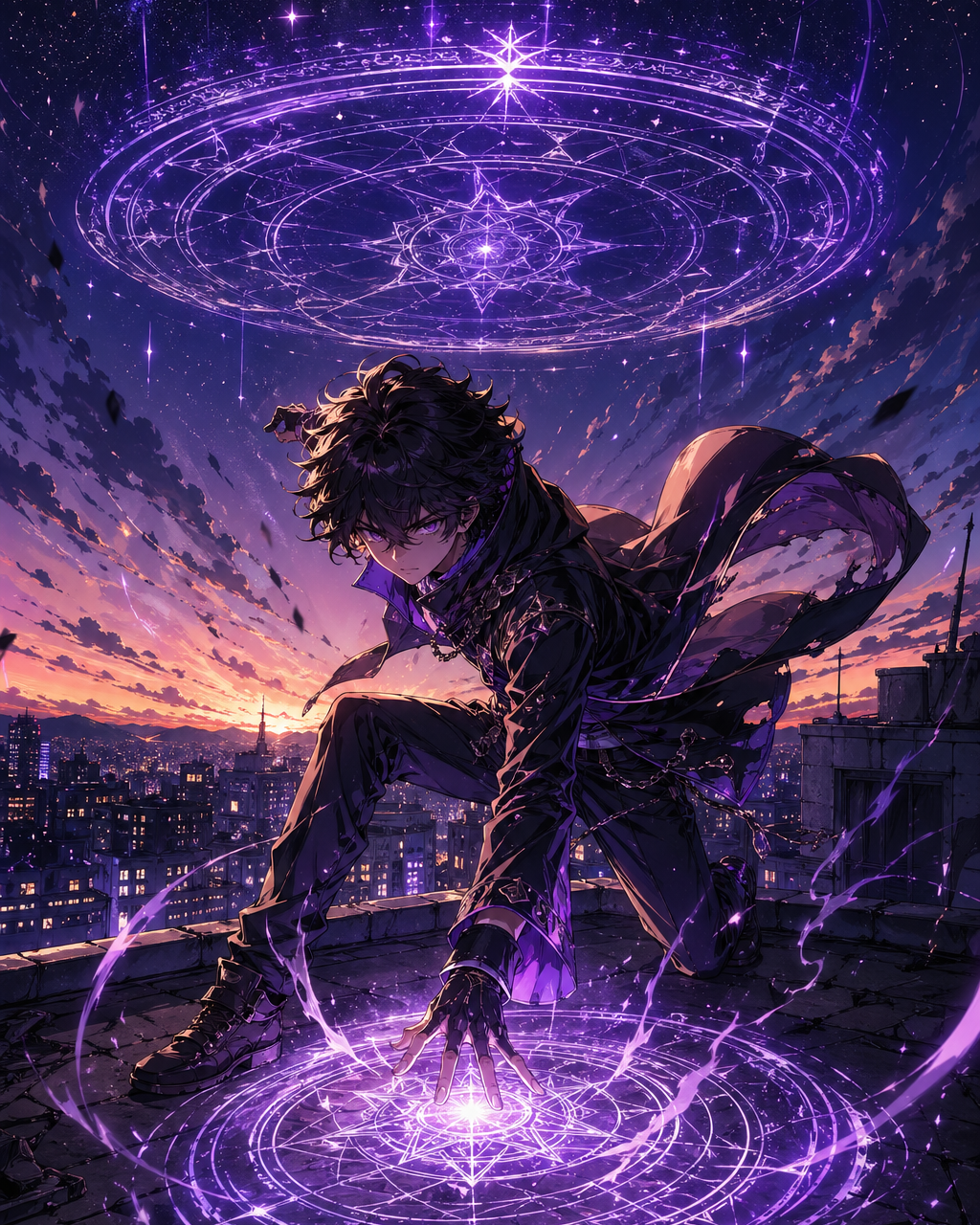
Props, posture, and setting should imply what the character does in the story.
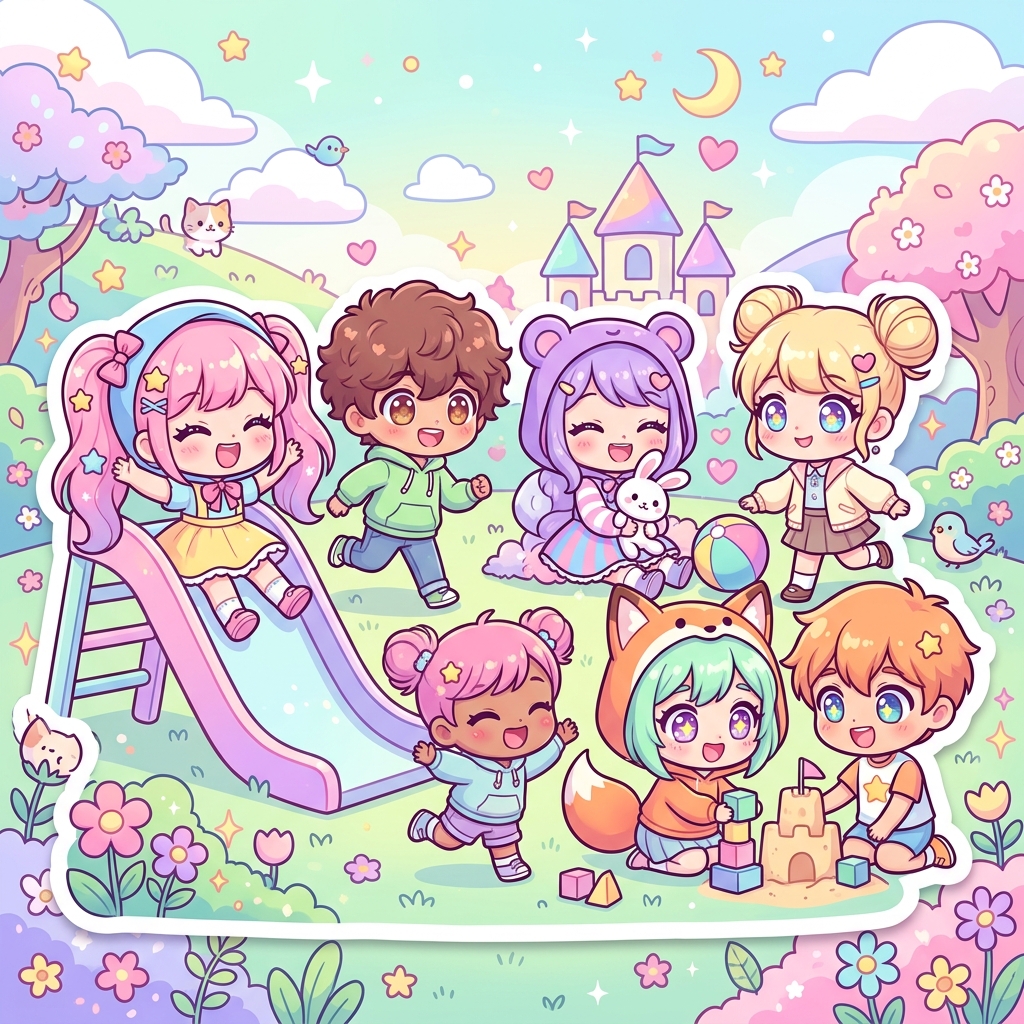
Small or stylized characters still need recognizable shape language.
Creator field guide
These notes help creators decide what to plan, what to ignore, and when a draft is ready for the next production step.
A character who appears once can be visually busy. A recurring comic character needs anchors that survive different poses, moods, and camera angles.
Translate traits into posture, outfit logic, prop choice, color, and expression. Avoid personality words that do not change the design.
After approving a design, write one compact description that includes silhouette, hair, clothing, colors, prop, and role.
Field notes
AI Character Generator should be written for repeatability. Many character tools online stop at making a nice portrait, but comic production needs a design that can appear again in new poses, emotions, and scenes. The workflow should focus on silhouette, outfit logic, color anchors, props, and expression range because those are the details that survive across a series.
The creative brief should begin with role and contradiction. A character who is only 'cool' or 'cute' is difficult to remember. A tired courier who carries forbidden letters, a cheerful ghost detective, or a noble mechanic with oil-stained gloves gives the model visual pressure. Those story details become posture, clothing, tools, and facial attitude.
A serious workflow should end with a character bible note. After the image is generated, the creator should write down permanent details in plain language. That note becomes more important than the first image because it helps future panel prompts keep the character recognizable.
The workflow should encourage creators to generate character tests, not just character finals. A design that looks strong in a neutral pose may fail when the character is angry, embarrassed, injured, or seen from far away. Testing expression, crop, and action early helps users discover whether the design can carry scenes. That makes the character generator feel like part of production, not a single-use avatar tool.
Create the first visual version of a recurring protagonist or rival.
Test how the same role reads in different comic or manga styles.
A comic character must work in many poses, moods, and crops.
Without fixed details, the character will drift between panels.
After creating a character, move into character sheets, OC profiles, panel generation, or story planning to use the design consistently.
A reusable character has stable anchors: silhouette, hair shape, outfit pieces, color accents, proportions, and a few expression rules.
Yes. Start with role, personality, and genre, then generate a design that can be documented and repeated.
The prompt probably lacks fixed anchors. Save permanent details and repeat them in later panel prompts.
Start with full body for silhouette and outfit, then create portraits for expression details.